PingPong
Overview
PingPong is an insane-rated Windows box framed as an assumed-breach scenario — the engagement begins with valid domain credentials rather than a blind external foothold. The domain is ping.htb.
Path: assumed-breach creds (c.roberts) → domain enumeration → (notes end here).
Note: These notes are incomplete — enumeration was underway but the box was not finished. The writeup covers what was documented.
Enumeration
The scenario provides starting credentials:
c.roberts / AssumedBreach123
An initial Nmap scan of the target confirms a Windows domain controller based on the open port set — DNS, Kerberos, LDAP, SMB, and the global catalog ports are all present:
$ nmap 10.129.245.56 -Pn
PORT     STATE SERVICE
53/tcp   open  domain
88/tcp   open  kerberos-sec
135/tcp  open  msrpc
139/tcp  open  netbios-ssn
389/tcp  open  ldap
445/tcp  open  microsoft-ds
464/tcp  open  kpasswd5
593/tcp  open  http-rpc-epmap
636/tcp  open  ldapssl
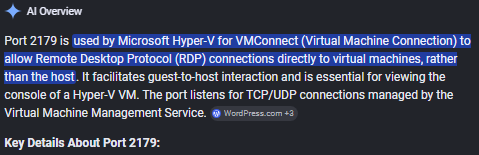
2179/tcp open  vmrdp
3268/tcp open  globalcatLDAP
3269/tcp open  globalcatLDAPssl

The domain name is confirmed via an anonymous LDAP base query:
$ ldapsearch -x -H ldap://10.129.245.56 -s base namingcontext
Domain: ping.htb
With valid credentials, BloodHound data is collected using bloodhound.py:
$ python3 bloodhound.py -u c.roberts -p "AssumedBreach123" -c All --zip -ns 10.129.245.56 -d ping.htb
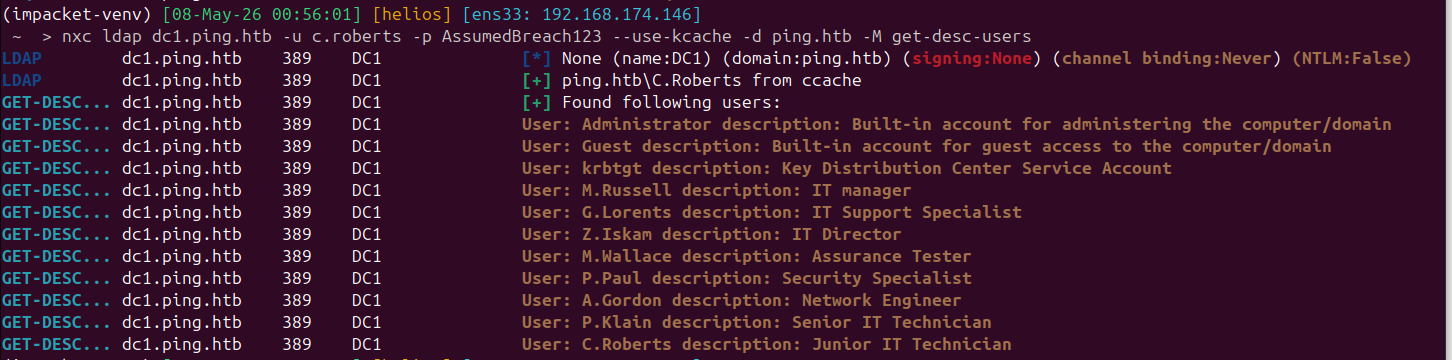
Analysis of the BloodHound output pointed toward Active Directory Certificate Services (ADCS) as the likely privilege escalation vector, but the notes end here.
Takeaways
- Assumed-breach engagements skip the external recon phase — with valid credentials, BloodHound collection is an immediate first step to map all AD attack paths.
- ADCS misconfigurations (ESC1–ESC8 templates) are a common escalation path in modern Windows environments and worth checking immediately after collecting BloodHound data.